Typiva - AI Font Finder and Suggester
1,000+
Visitors since launching typiva.com in 2025 — self-funded indie product, no marketing budget.
All of Google Fonts
Search, pair, and generate a brand kit from a single prompt — no tab-hopping, no manual curation.
2 refreshes
Iterated the landing and product UI twice in 12 months, each ship faster than the last.
Tech Stack
 MagicPath
 Lovable
 Cursor
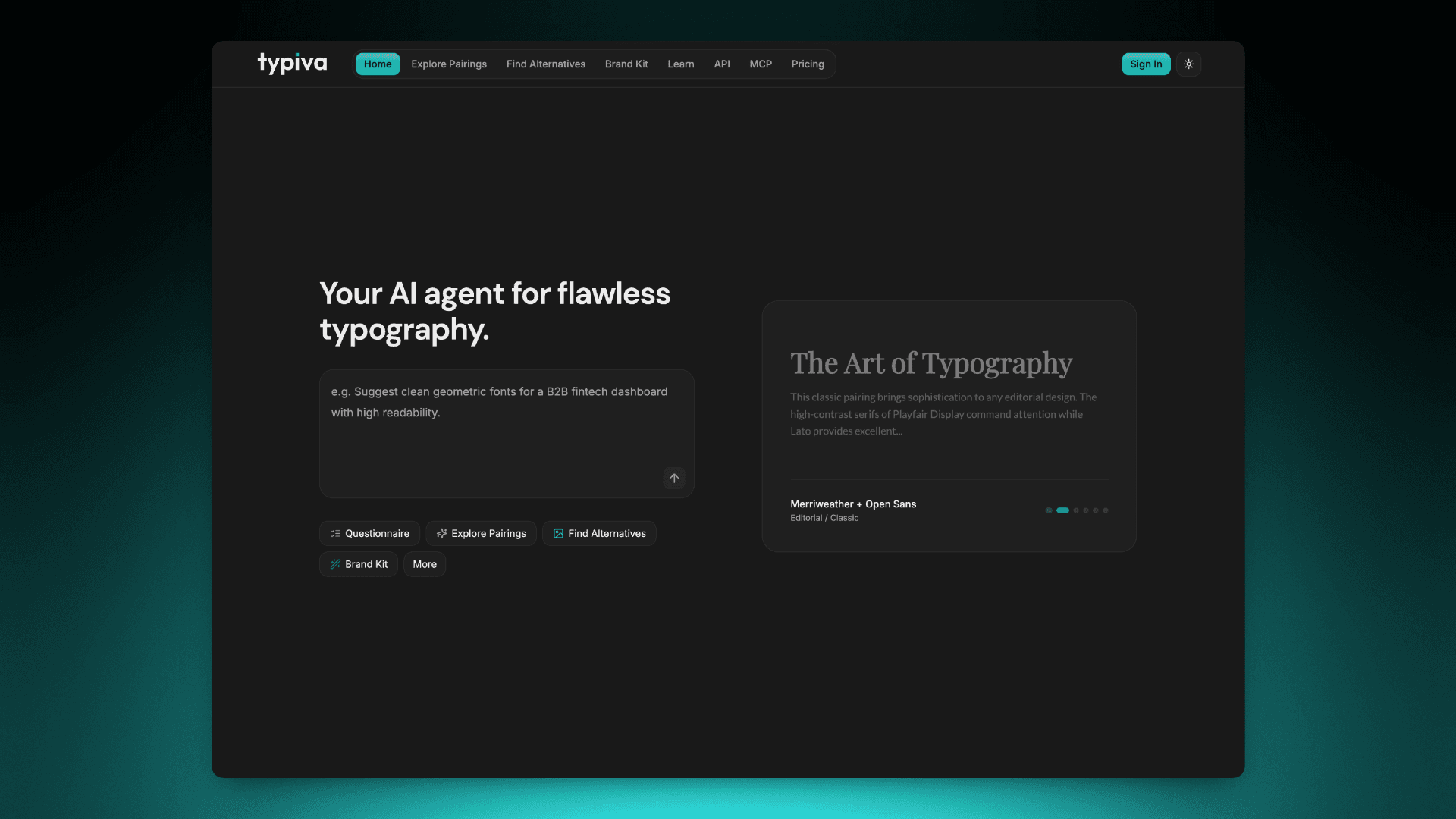
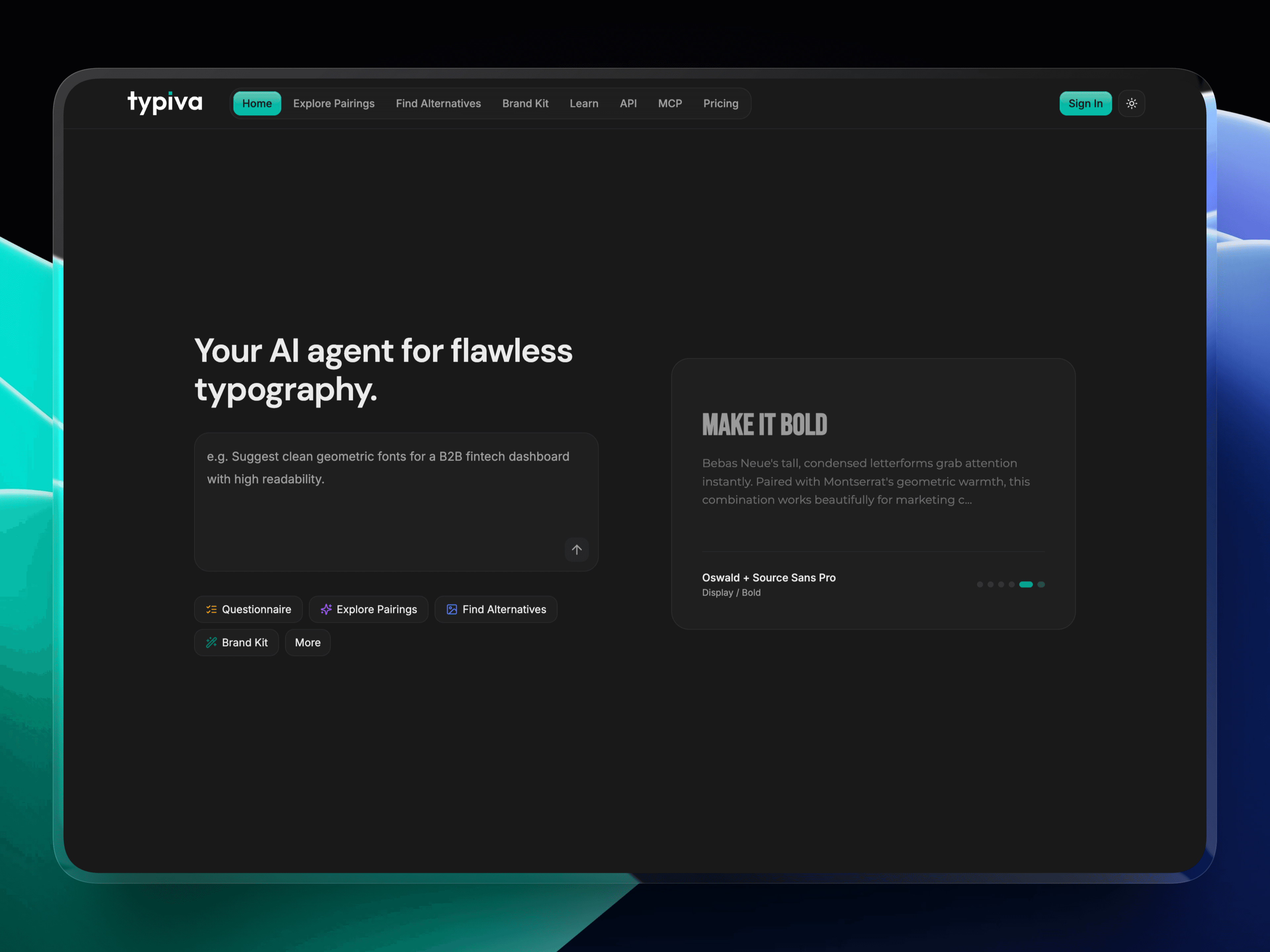
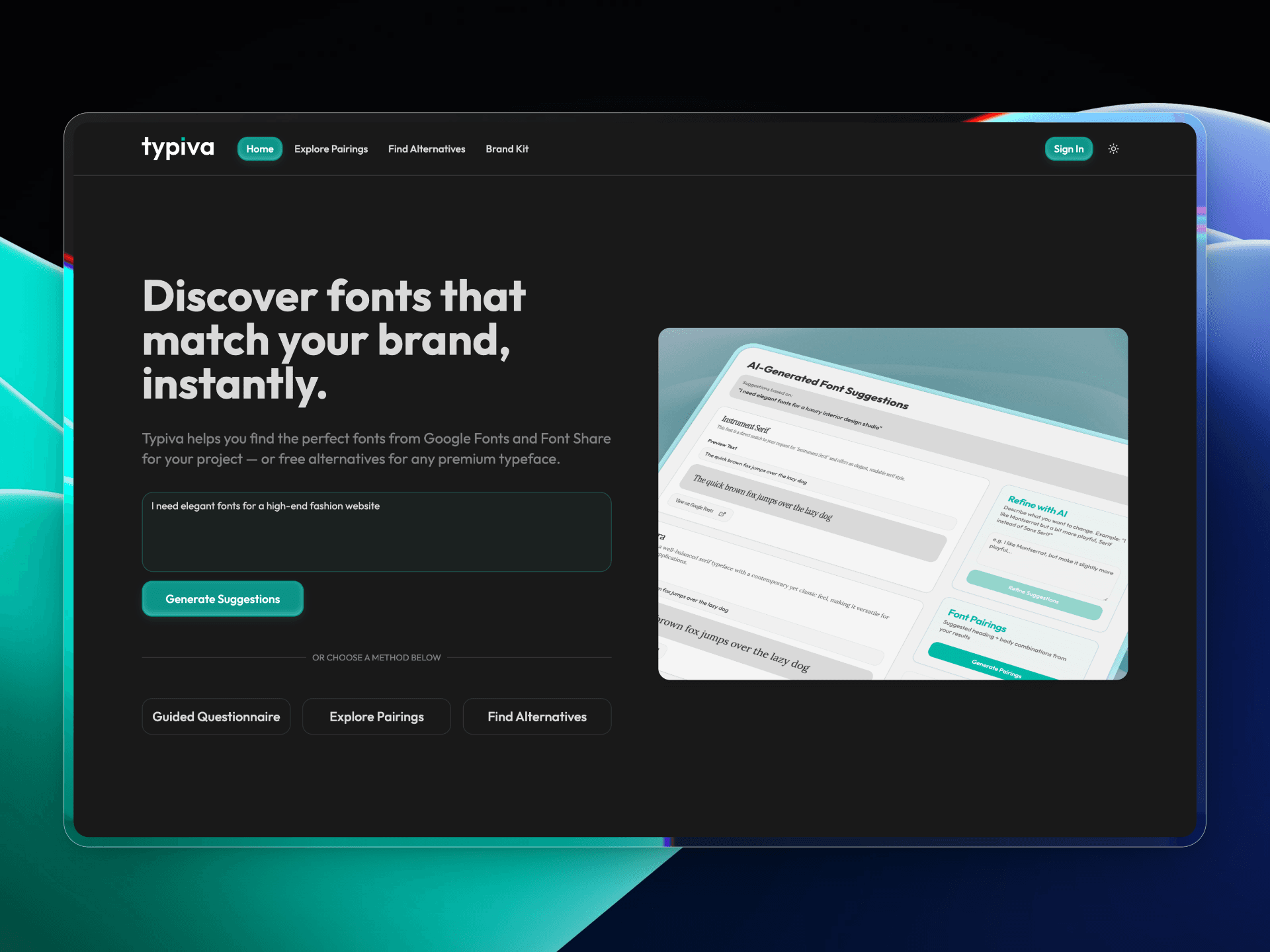
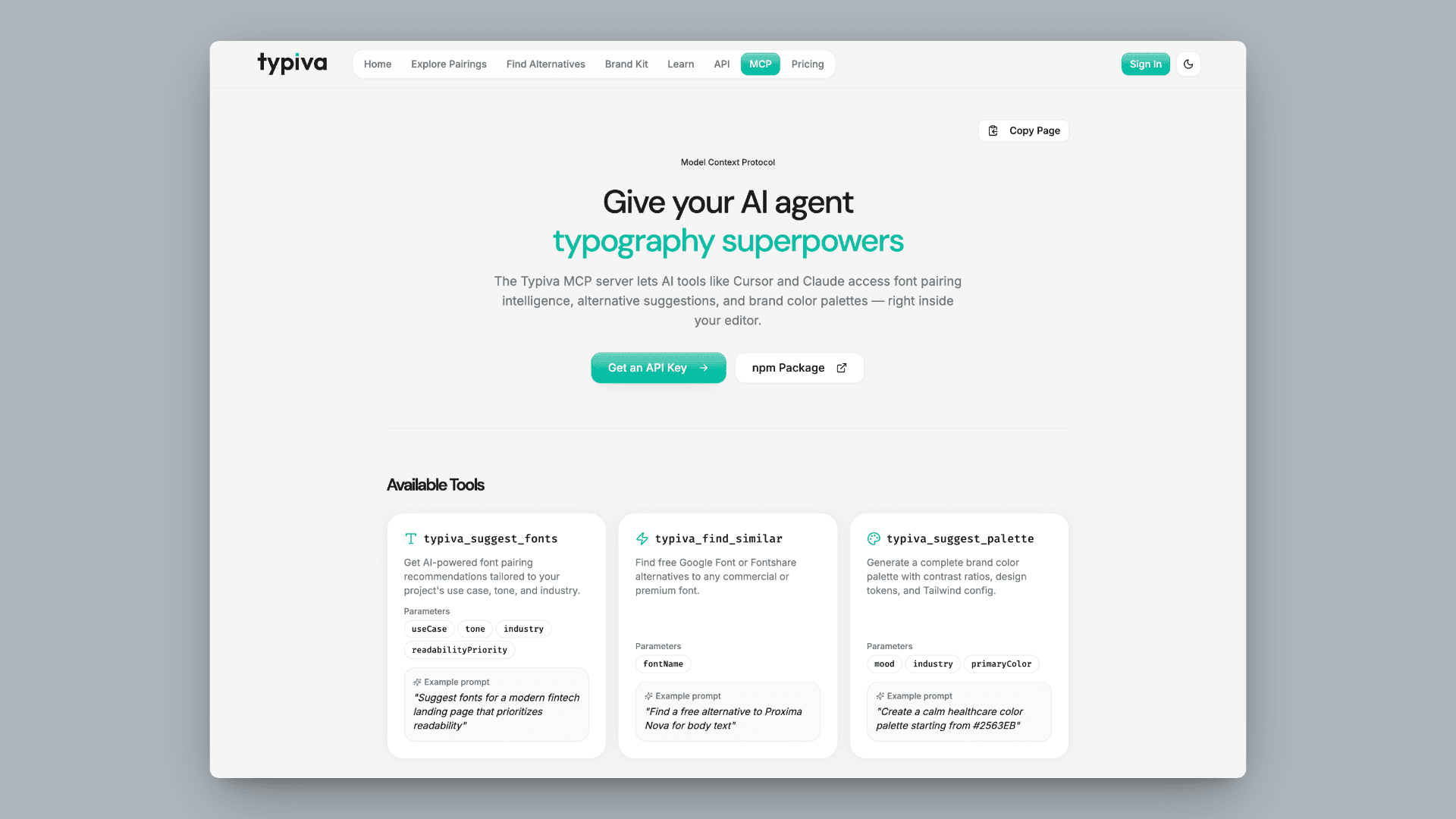
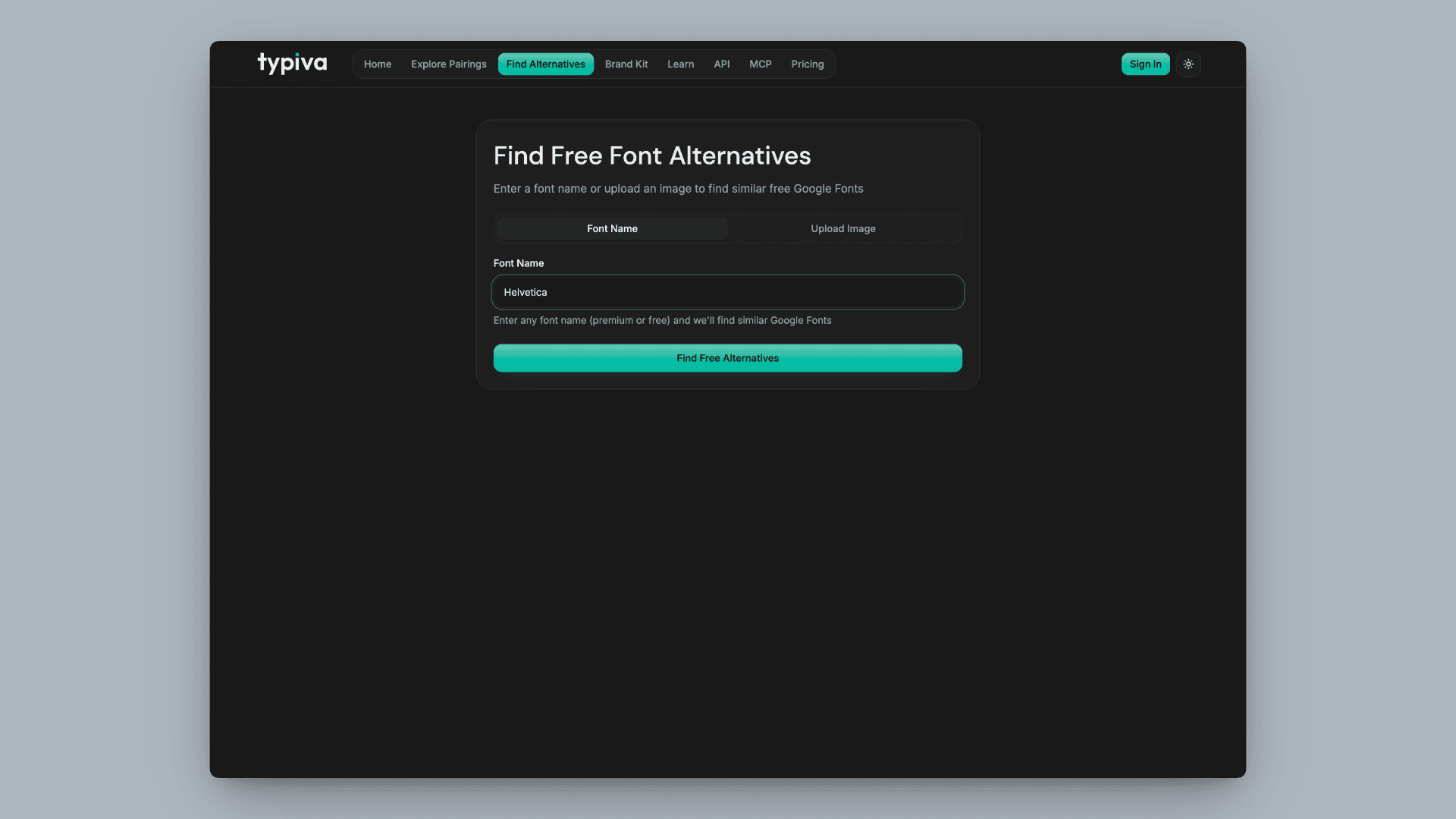
AI-native typography assistant: prompt from a brief, get free-font picks, pairings, alternatives, and a brand kit—without tab-hopping. The slider in the gallery compares the previous landing with the refresh.
Background
Typiva turns “I need a font” into a clear direction: pairings, alternatives, and a brand kit—so marketing and product don’t drift into mismatched type.
Core Problem
Font search is scattered and generic. Few tools pair AI discovery, pairing logic, and brand-kit output in one workflow.
What I Did
From concept to launch: MagicPath for exploration, Lovable for the initial app building, Cursor for deeper builds and AI-assisted code, Lovart for logo and brand.
Key Actions Taken
- Framed the product for designers and builders in Figma, code, and content—not only type specialists
- Ran discovery, pairing, and brand-kit flows with real users
- Prototyped in MagicPath, shipped the core in Lovable, polished in Cursor
- Explored logo and brand with Lovart alongside the UI
- Built guided flows for discovery, pairings, alternatives, and brand kit
- Launched typiva.com, then refreshed the landing and product UI
Features
1/**
2 * Copy-paste bundle (tokens + component + CSS + usage).
3 * Works in a plain React app (no @/ alias required).
4 *
5 * Create these files, then render <PrimaryButtonExample />.
6 */
7
8/* -------------------------------------------------------------------------- */
9/* File: src/styles/typiva-tokens.css                                          */
10/* -------------------------------------------------------------------------- */
11.typiva-live-preview-scope {
12  --primary: 172 100% 37%;
13  --primary-foreground: 0 0% 100%;
14  --ring: 172 100% 37%;
15  --radius: 1rem;
16  --font-sans: "Inter", ui-sans-serif, sans-serif, system-ui;
17}
18
19/* Keep label white on teal in dark mode too */
20html.dark .typiva-live-preview-scope {
21  --primary: 172 100% 37%;
22  --primary-foreground: 0 0% 100%;
23  --ring: 172 100% 37%;
24}
25
26/* -------------------------------------------------------------------------- */
27/* File: src/components/primary-cta-button.css                                 */
28/* -------------------------------------------------------------------------- */
29.primary-cta {
30  --primary-cta-border: hsl(var(--primary) / 0.94);
31  --primary-cta-sheen: rgba(255, 255, 255, 0.24);
32  --primary-cta-highlight-strong: rgba(255, 255, 255, 0.68);
33  --primary-cta-highlight-soft: rgba(255, 255, 255, 0.22);
34  --primary-cta-shadow: 0 1px 2px rgba(16, 24, 40, 0.08);
35  --primary-cta-lift: 0 10px 24px -16px hsl(var(--primary) / 0.48);
36  --primary-cta-hover-lift: 0 14px 28px -18px hsl(var(--primary) / 0.58);
37  --primary-cta-focus-ring: 0 0 0 3px hsl(var(--ring) / 0.22);
38  --primary-cta-transition: 200ms cubic-bezier(0.25, 1, 0.5, 1);
39  isolation: isolate;
40  position: relative;
41  overflow: hidden;
42  cursor: pointer;
43  outline: none;
44  font-family: var(--font-sans, "Inter", ui-sans-serif, sans-serif, system-ui);
45  font-weight: 500;
46  line-height: 1.2;
47  border: none;
48  border-radius: calc(var(--radius, 1rem) - 4px);
49  color: hsl(var(--primary-foreground));
50  background: linear-gradient(180deg, hsl(var(--primary) / 0.94), hsl(var(--primary)) 72%);
51  display: inline-flex;
52  align-items: center;
53  justify-content: center;
54  gap: 0.5rem;
55  white-space: nowrap;
56  box-shadow:
57    inset 0 0 0 1px var(--primary-cta-border),
58    inset 0 1px 0 0 var(--primary-cta-highlight-strong),
59    inset 0 2px 3px 0 var(--primary-cta-highlight-soft),
60    var(--primary-cta-shadow),
61    var(--primary-cta-lift);
62  transition: var(--primary-cta-transition);
63  transition-property: transform, box-shadow, background;
64}
65
66.primary-cta:disabled {
67  opacity: 0.5;
68  cursor: not-allowed;
69  box-shadow:
70    inset 0 0 0 1px var(--primary-cta-border),
71    inset 0 1px 0 0 rgba(255, 255, 255, 0.45),
72    var(--primary-cta-shadow);
73}
74
75.primary-cta::before {
76  content: "";
77  pointer-events: none;
78  position: absolute;
79  inset: 1px 1px auto;
80  height: 52%;
81  border-radius: inherit;
82  background: linear-gradient(180deg, var(--primary-cta-sheen), rgba(255, 255, 255, 0));
83  z-index: 0;
84}
85
86.primary-cta:active {
87  transform: translateY(1px) scale(0.99);
88}
89
90.primary-cta span {
91  position: relative;
92  z-index: 1;
93  display: inline-flex;
94  align-items: center;
95  justify-content: center;
96  gap: inherit;
97  white-space: nowrap;
98  font-weight: 500;
99  color: inherit;
100}
101
102.primary-cta:is(:hover, :focus-visible) {
103  background: linear-gradient(180deg, hsl(var(--primary) / 0.97), hsl(var(--primary)) 74%);
104  box-shadow:
105    inset 0 0 0 1px var(--primary-cta-border),
106    inset 0 1px 0 0 rgba(255, 255, 255, 0.9),
107    inset 0 4px 8px 0 rgba(255, 255, 255, 0.28),
108    var(--primary-cta-shadow),
109    var(--primary-cta-hover-lift);
110}
111
112.primary-cta:focus-visible {
113  box-shadow:
114    var(--primary-cta-focus-ring),
115    inset 0 0 0 1px var(--primary-cta-border),
116    inset 0 1px 0 0 rgba(255, 255, 255, 0.9),
117    inset 0 4px 8px 0 rgba(255, 255, 255, 0.28),
118    var(--primary-cta-shadow),
119    var(--primary-cta-hover-lift);
120}
121
122@media (prefers-reduced-motion: reduce) {
123  .primary-cta {
124    transition: none;
125  }
126}
127
128/* -------------------------------------------------------------------------- */
129/* File: src/components/primary-cta-button.tsx                                 */
130/* -------------------------------------------------------------------------- */
131import * as React from "react";
132
133import "./primary-cta-button.css";
134
135export interface PrimaryCtaButtonProps extends React.ButtonHTMLAttributes<HTMLButtonElement> {
136  children: React.ReactNode;
137}
138
139export const PrimaryCtaButton = React.forwardRef<HTMLButtonElement, PrimaryCtaButtonProps>(
140  ({ children, className = "", type = "button", ...props }, ref) => {
141    return (
142      <button ref={ref} type={type} className={["primary-cta", className].filter(Boolean).join(" ")} {...props}>
143        <span>{children}</span>
144      </button>
145    );
146  },
147);
148
149PrimaryCtaButton.displayName = "PrimaryCtaButton";
150
151/* -------------------------------------------------------------------------- */
152/* File: src/components/PrimaryButtonExample.tsx                               */
153/* -------------------------------------------------------------------------- */
154import { PrimaryCtaButton } from "./primary-cta-button";
155import "../styles/typiva-tokens.css";
156
157export function PrimaryButtonExample() {
158  return (
159    <div className="typiva-live-preview-scope" style={{ padding: 24 }}>
160      <PrimaryCtaButton className="h-10 w-full max-w-[280px] rounded-[12px] px-4 text-sm">
161      Sign In
162      </PrimaryCtaButton>
163    </div>
164  );
165}
Live preview
PrimaryCtaButton
Typiva tokens here only; portfolio CTAs use the same style with site theme colours.
Learnings & Reflections
- AI-native doesn't mean AI-generates. It means the human stays in the loop and the tools compound the work.
- People don't want a list — they want a direction. The brief-to-font pipeline was the actual product, not the database.
- Indie products move at indie speed. No roadmap committee, no PMO — just ship the next 10% better each pass.
Recent refresh